
Get donesum

Remember the last time.

donesum counts the days since you last watered the plants, changed the sheets, or descaled the coffee machine. It shows what is due next. One tap on your home screen marks it done.

  • Download on the App Store
  • Get it on Google Play

Free. No account. Your activities stay on your phone.

13:12
donesum

Due · 4

  • Clean the vacuum filter28 days ago • 14 days overdue
  • Change the bed sheets9 days ago • 2 days overdue
  • Water the plantsRosa3 days ago • Due today
  • Take medicationYesterday, 12:07 PM • Due today at 12:07 PM

Other activities

  • Descale the coffee machine1 day ago • Due in 29 days

Due · 3

  • Clean the vacuum filter28 days ago • 14 days overdue
  • Change the bed sheets9 days ago • 2 days overdue
  • Take medicationYesterday, 12:07 PM • Due today at 12:07 PM

Other activities

  • Water the plantsYouJust now • Due in 3 days
  • Descale the coffee machine1 day ago • Due in 29 days
The donesum activity list on Thursday at 13:12. Four activities are due: Clean the vacuum filter is 14 days overdue, Change the bed sheets is 2 days overdue, Water the plants is due today, and Take medication is due at 12:07. After one tap on Done, Water the plants reads Just now, due in 3 days.

One week at Karl and Rosa’s

Four chores, two people, and one plant they share. The people are made up. The screens are the app, with the same data in every section.

  • Karl
  • Rosa
Monday 12 OctoberKarl’s Sumling looks worried.Due · 1

See how long it has been

Rosa waters the plants on Monday. Every activity counts up from its last completion: in hours on the first day, then in days. Nobody has to remember a date.

Other activities

  • Change the bed sheets6 days ago • Due tomorrow
  • Water the plantsRosa13 hours ago • Due in 3 days13h ago • Due in 3d
  • Descale the coffee machine25 days ago • Due in 5 days
Wednesday 14 OctoberKarl’s Sumling looks worried.Due · 2

Choose how often

Give an activity a repeat interval in days or hours. For days, you can set a due time, like medication at 12:07. When it is due, its Done button has a stronger ring. When it is late, the row turns amber and says by how much.

Karl descales the coffee machine on Wednesday, so its 30 days start again.

Due · 2

  • Clean the vacuum filter27 days ago • 27d ago • 13 days overdue13d overdue
  • Change the bed sheets8 days ago • 8d ago • 1 day overdue1d overdue

Other activities

  • Water the plantsRosa2 days ago • Due tomorrow
  • Descale the coffee machine13 hours ago • Due in 30 days13h ago • Due in 30d

Repeat interval · Water the plants

  • 3

Without a due time, days count dates that start at 04:00. Hours count elapsed time. Leave it empty for no target.

  • Set due timeOff
Thursday 15 OctoberKarl’s Sumling looks scared.Due · 3

Your Sumling keeps an eye on it

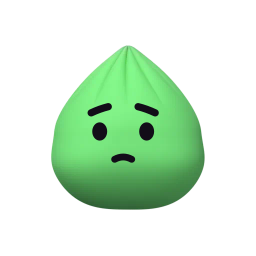
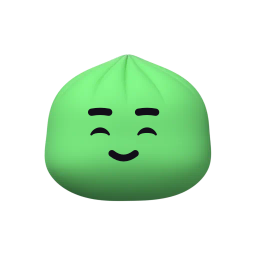
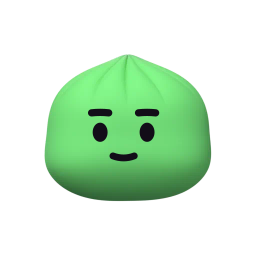
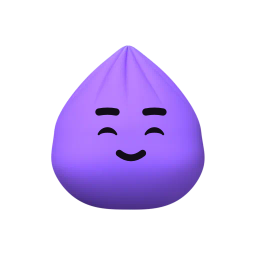
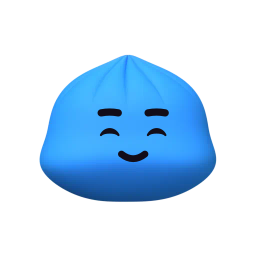
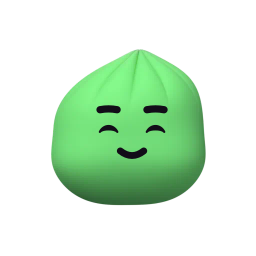
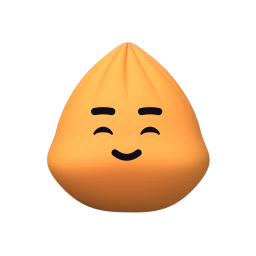
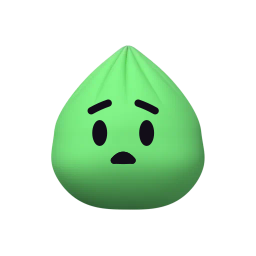
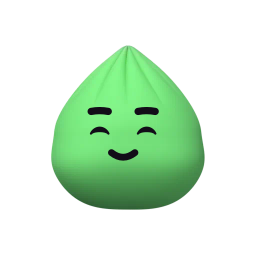
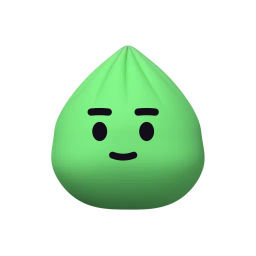
Your Sumling stands for you. Its face follows the most urgent activity: worried when one is late, scared at twice its repeat interval.

On Thursday the vacuum filter reaches 28 days, twice its 14. The row turns red, and Karl’s Sumling looks scared.

  • Clean the vacuum filter28 days ago • 28d ago • 14 days overdue14d overdue
Karl’s Sumling looks scared.

Your Sumling gets worried when an activity is due, and scared at twice its repeat interval.

  1. ContentUnder half
  2. NeutralHalf way
  3. WorriedLate
  4. ScaredTwice over
Thursday 15 October, 13:12Karl’s Sumling looks scared.Due · 3

Done, from the home screen

The One activity and Activity list widgets show the activities you choose. Tap Done on a widget, and donesum records the completion without opening the app.

Before: 3 days ago, due today. After Karl taps Done: just now, due in 3 days.

Change the bed sheets9 days ago • 2 days overdue
Water the plants3 days ago • Due today
Descale the coffee machine1 day ago • Due in 29 days
Water the plants 3d ago • Due today

Thursday 15 OctoberKarl’s Sumling looks scared.Due · 2

Every completion stays in the history

Open an activity to see who did it and when. Statistics show the shortest, longest, and average interval between completions.

Statistics

  • Recorded completions5
  • Shortest interval3 days
  • Longest interval4 days
  • Average interval3.25 days

Between consecutive completions. Intervals use counted dates. Values are rounded to two decimal places.

HistoryAdd past

  • TodayYou · 3 days after the previous one
  • Mon 12 OctRosa · 3 days after the previous one
  • Fri 9 OctYou · 3 days after the previous one
  • Tue 6 OctRosa · 4 days after the previous one
  • Fri 2 OctYou · First recorded completion
Thursday 15 OctoberKarl’s Sumling looks scared.Due · 2

Share one activity with one person

Karl sent Rosa a link for the plants. She joined at once and got the full history. Either of them can mark it done, and each sees who did.

Shared activities are encrypted on the phone before they leave it. Neither of them needs an account.

On Karl’s phone

  • Water the plantsYouJust now • Due in 3 days

On Rosa’s phone

  • Water the plantsKarlJust now • Due in 3 days
Thursday 15 OctoberKarl’s Sumling looks scared.Due · 2

And on Karl’s tablet

Link another phone or tablet from Settings with a code. All your activities stay up to date on every device you link. The tablet shows the same completion, recorded once.

Linked devices

  • Karl’s phoneThis device
  • Karl’s tabletTap to rename or remove

On Karl’s tablet

  • Water the plantsYouJust now • Due in 3 days

There is no account

donesum starts with your first activity. There is no sign-up, email, or password. Sharing and your own devices connect with a single-use link or code.

You

  • Your Sumling

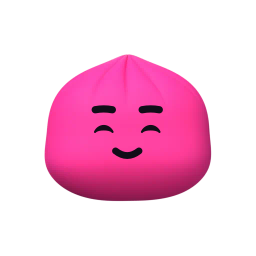
Your Sumling stands for you. Its face shows how your activities are doing.

Sharing

  • Your devices

No donesum account is needed. Activities update on your linked devices by default.

Also in donesum

  • iCloud and Google Drive backupOptional. Backs up about once a day, keeps the last 30 daily backups, and shows a preview before you restore.
  • Backup file and recovery fileExport a file to keep a copy or to move between iPhone and Android. A protected recovery file can also keep access to your shared activities.
  • Works offlineEverything works without a connection. Shared changes catch up when you are back online.
  • Two widgetsOne activity and Activity list, each with its own selection. On iPhone, iPad, and Android.
  • Private by defaultYour activities and history are never used for advertising or analytics.
  • Feedback in SettingsSend feedback or report a problem from the app. You review the exact text before anything is sent.

Free, and no ads

donesum is free to use. It shows no ads, asks for no account, and sets no tracking cookies.

Your activities live on your phone. When you share one, it is encrypted end to end. The relay that passes it on cannot read activity names, dates, or history.

  • No account
  • No ads
  • Data on your device
  • Works offline
  • End-to-end encrypted sharing

Questions

Do I need an account?

No. donesum has no accounts. Your activities live on your phone. Sharing an activity and linking your own devices use a single-use link or QR code that expires after 24 hours.

Who can read my activities?

Only you, on your devices. A shared activity is encrypted on the phone before upload. The relay cannot read activity names, history, completion dates, intervals, person names, or Sumlings. Apple and Google can see that a push message was delivered, but the message contains no activity content.

Which phones does donesum run on?

iPhone and iPad with iOS 18 or later, and Android phones and tablets with Android 8.0 or later. donesum is in a closed test on Google Play. The App Store release follows.

What happens when I change phones?

Turn on iCloud backup on iPhone and iPad, or Google Drive backup on Android, and restore on the new phone. A backup file also moves your activities between iPhone and Android.

Does donesum send reminders?

No. donesum sends no notifications. Your widgets and your Sumling show what is due when you look.

What does donesum cost?

Nothing. donesum is free to use and shows no ads.

Start with the one you always forget.

  • Download on the App Store
  • Get it on Google Play

More from the Sumling Cinematic Universe